The sun is high in the sky, suitcases are being packed, and out-of-office messages are happily pouring in. Whether you’re enjoying a well-deserved vacation or taking advantage of the quiet summer months to catch up on work, we hope you’re having a great time. With a cool drink within reach, we’ll continue to build, improve, and fine-tune in the background.
Enjoy the summer!
In this newsletter:
Die-cut cards on naturkarton
Update on the diptych cards
Automatic logging of PDP errors
New: videos on the PDP
Silver envelope
Tip: label in the editor
Die-cut cards on naturkarton
Good news! It is now possible to offer a third type of paper for die-cut cards without foil or spot UV: naturkarton. This type of paper not only has a beautiful, natural look, but also ensures less visible burn marks after die-cutting.
Die-cut cards are listed in separate categories. To offer natural cardboard within such a category, you must check “Naturkarton Weißes Papier mit mattem Look – 340g/m²” in the CMS – Inhalt – Kategorien for the desired category.
Please note: this extension only applies to cards, not to freeforms.
Update on the diptych cards
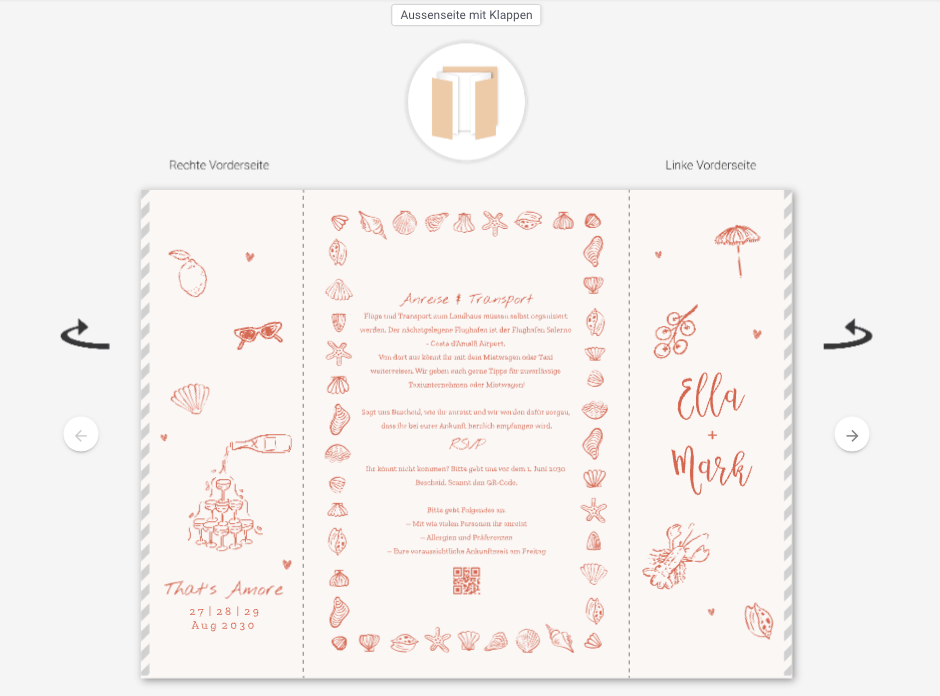
Not so long ago, we introduced a new product: the diptych card. The editor for this type of card has now been improved, making it clearer to customers which side of the card is being edited at any given moment.
Automatic logging of PDP errors
A new feature is now available in the CMS: from now on, errors on product detail pages (PDPs) will be automatically recorded in the changelog. When an error occurs while loading a design or a linked set item, it will be displayed in the changelog with an error message, including a reference to the specific design causing the error. In addition, it shows how many customers have visited the PDP in question.
What is logged?
The error messages currently mainly relate to designs that:
are based on a template that is no longer active but is still live in the shop;
are still linked to another product.
In these cases, customers end up on a PDP that is not functional. Please note: products that are simply out of stock are not covered by these error messages.
When should action be taken?
It is not necessary to take immediate action based on the messages. The logging is primarily intended to provide insight into how often customers end up on a non-functional PDP.
However, we do recommend checking the reports regularly, especially when it comes to products that should still be available for order. This will help you avoid unnecessary missed orders and improve the customer experience.
New: videos on the PDP
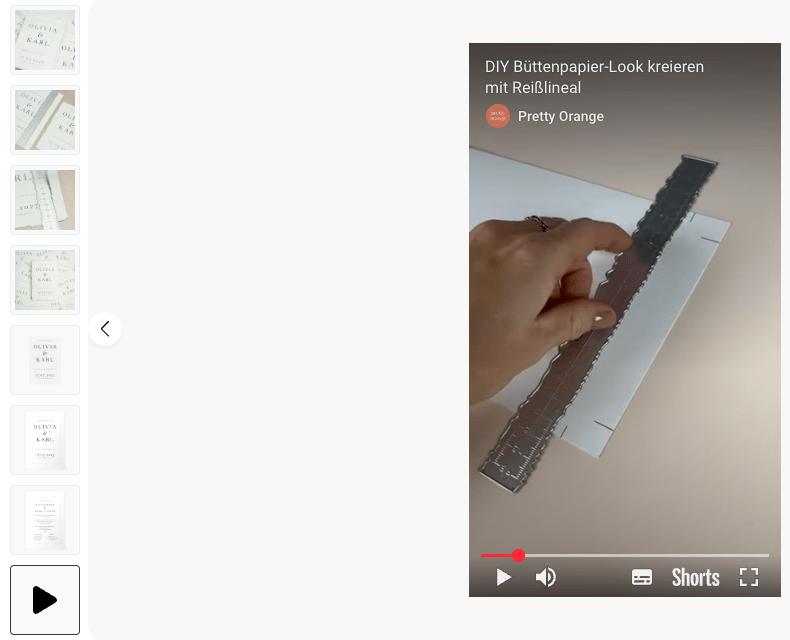
It is now possible to add videos to the PDP. This is a valuable addition that enhances product presentation and potentially contributes to higher conversion rates.
How does it work?
To add a video:
First, upload the video to your own YouTube channel as a YouTube Short.
Copy the YouTube link.
Add this link to the PDP, under the Designbilder heading in the CMS – Inhalt – Vorgeschlagene Designs.
Please note: it is not yet possible to customize the styling of the video button. However, this is on the radar as a possible improvement for the future.
Silver envelope
As you may have already read in the changelog, the silver envelope is no longer available. We will be removing the silver envelope from the envelopes page in your shop this week.
Tip: label in the editor
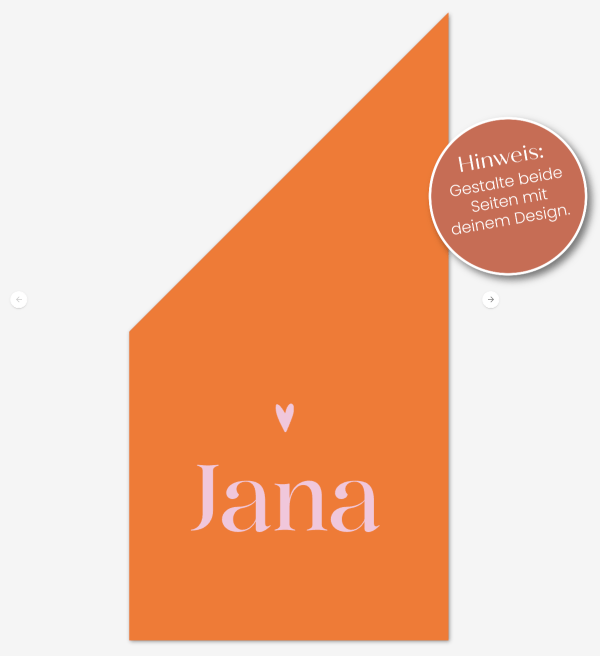
In some cases, it is useful to place a label in the editor. Text can be placed on this label, such as “edit both sides” in the case of a birth flag.
How do you do this?
Create a round image in your style with the text in it and save this image as a PNG.
Go to a card or product in your webshop and open this card or product in the editor.
In the editor, click on “images and decorations” and add the round image.
Click on the image you just added and then on the gear icon at the top left of the screen.
Make sure the correct checkboxes are selected: – “Drucken” OFF – “Immer oben” ON – “Durchklickbar” OFF – “Nicht in Vorschauen anzeigen” ON – “PDP editierbar” OFF – “Überstand anzeigen” ON
Place the image in a logical location. See the example below.